The wallet that
signs.
stealthsend is the non-custodial browser extension for stealthpay. It holds your keys, shows your seed once, and signs every payment — so you authorize spend without ever handing a key to a server. Free, on Chrome, for anyone.
01
What it is
stealthpay is the rail; stealthsend is the wallet that authorizes it. Your keys live in the extension, never on a server. When a payment needs authority, stealthsend signs the challenge — the rail moves the funds, the key never leaves your machine.
Non-custodial
Keys stay yours
The seed is generated in the extension and shown once — never sent to any server. You hold the spend key; nobody else can move your funds.
Signature, not login
You sign to spend
Opening the Console connects your stealthsend extension — that’s your identity, no account, no password. stealthsend separately signs the challenge that authorizes a payment. Two roles, on purpose.
02
A look inside
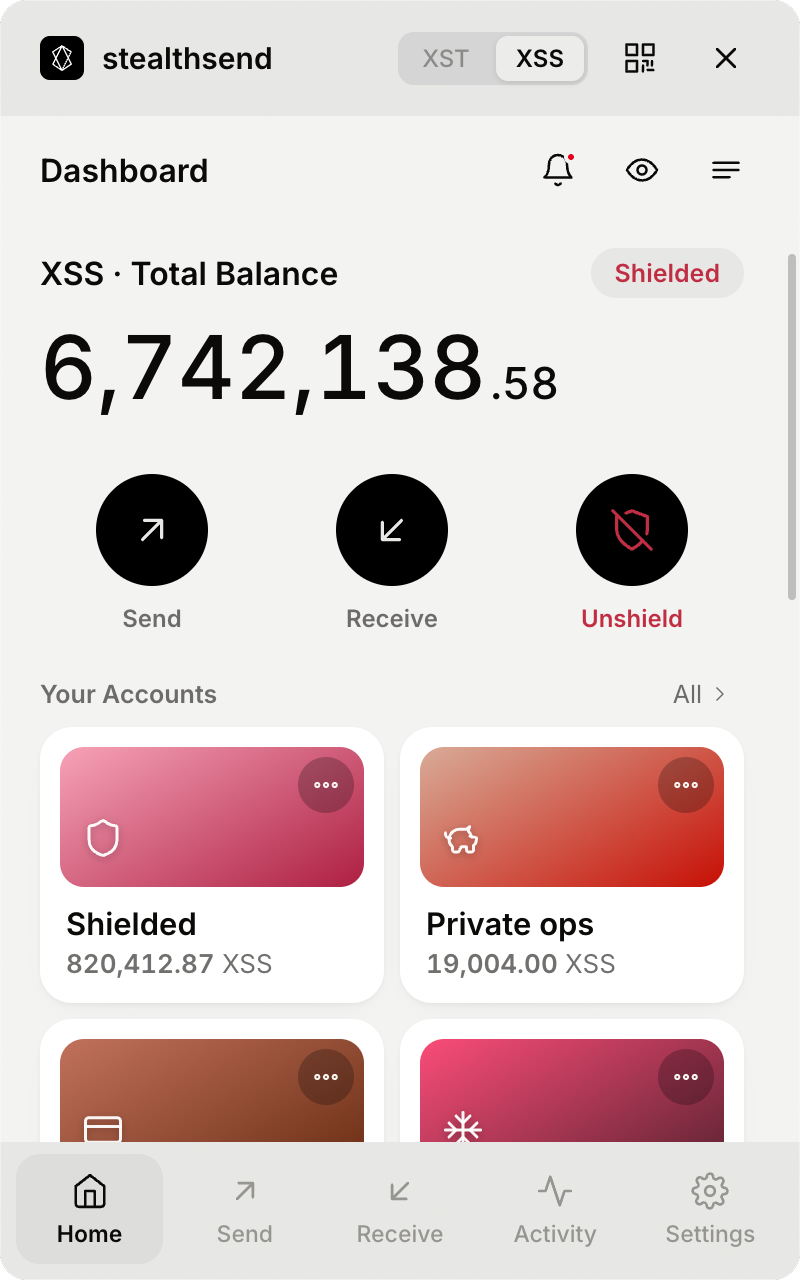
Dashboard. Every account and both rails, one screen.
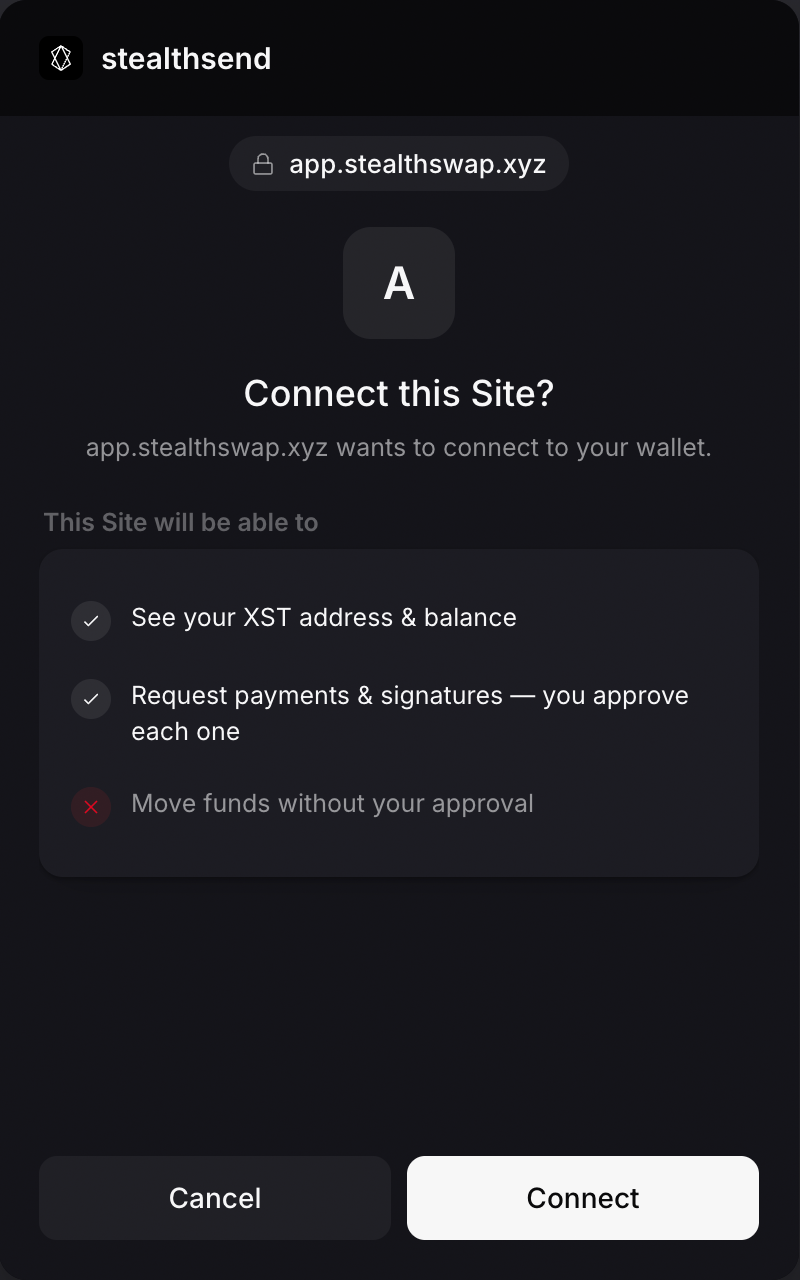
Connect a site. It reads your address; you approve every spend.
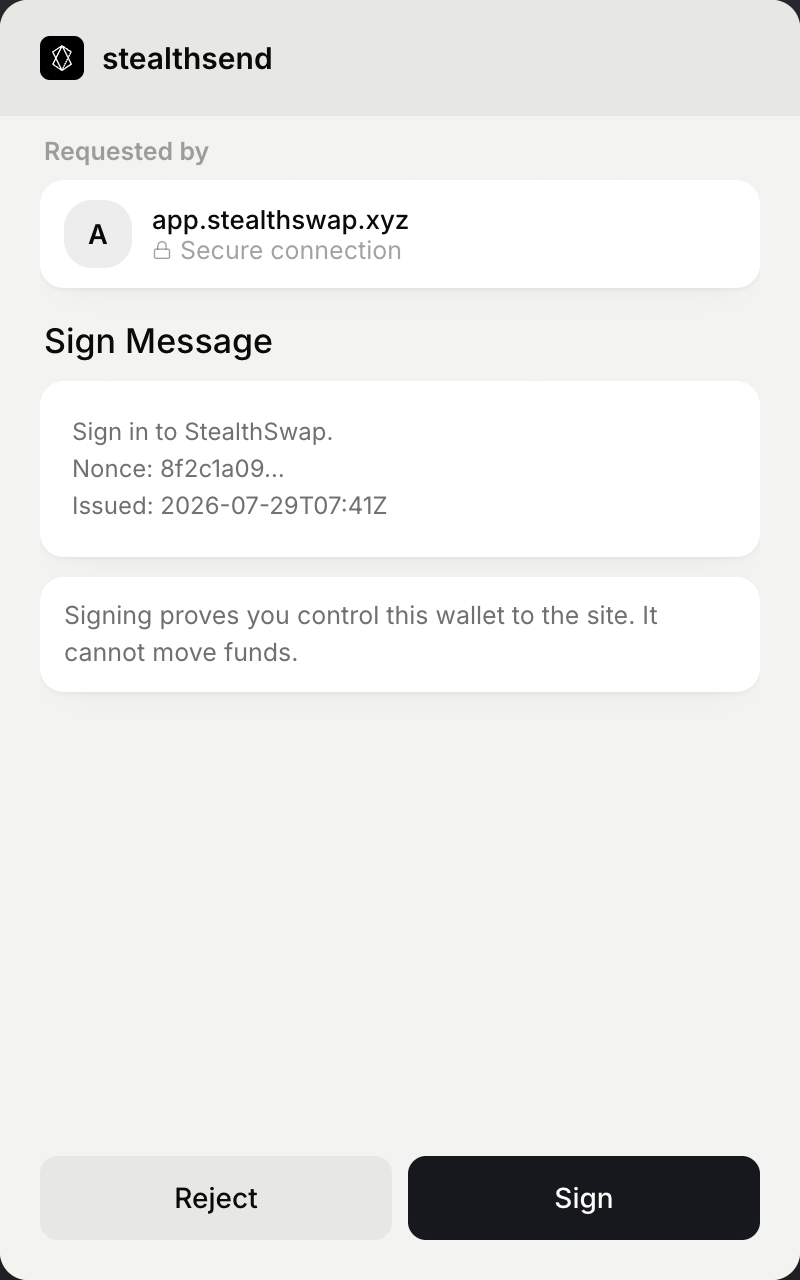
Sign a request. Proves you control the wallet — no funds move.
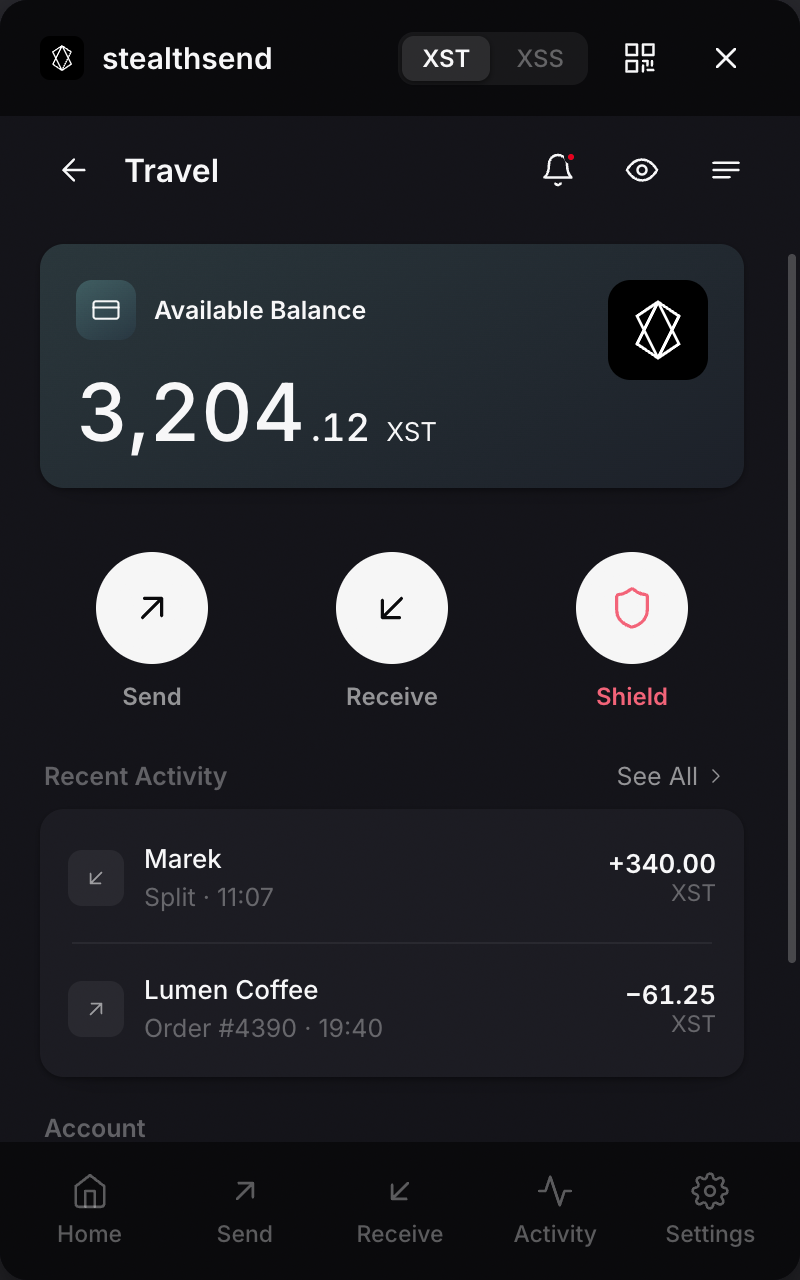
Account detail. Each account's own balance and history.
03
What it does
Keys
Seed shown once
Generate or restore a wallet in the extension. The recovery phrase is shown once and never leaves the device.
Authorize
Connect & sign
A request mints a challenge; you approve or reject. The signature authorizes the spend — the key stays put.
Pay
Send & checkout
Pay an agent or a gated page in XST or shielded XSS, with the recipient and amount validated before you send.
Safety
Address validation
Every recipient is checked — base58check for XST, structural checks for XSS — so a bad address never leaves the field.
Receipts
Payment proofs
Export a self-contained proof for any shielded payment — selective disclosure, verifiable on StealthMonitor without keys.
Contacts
Encrypted address book
Save addresses, and move them between devices via an encrypted export — never through a server.
04
How it fits
You open the Console and it connects to your stealthsend extension — that’s your identity and your read-only view, held in your own wallet, nothing stored on a server. You sign with stealthsend when money actually moves. Identity is one thing;
spending authority is another — and keeping them apart is what lets the Console see everything while
remaining unable to spend a coin.
Add stealthsend to Chrome.
Free · non-custodial · your keys never leave the device.